Build extraction templates field by field
Everything in the builder
Every tool you need to define exactly what to extract from any document.
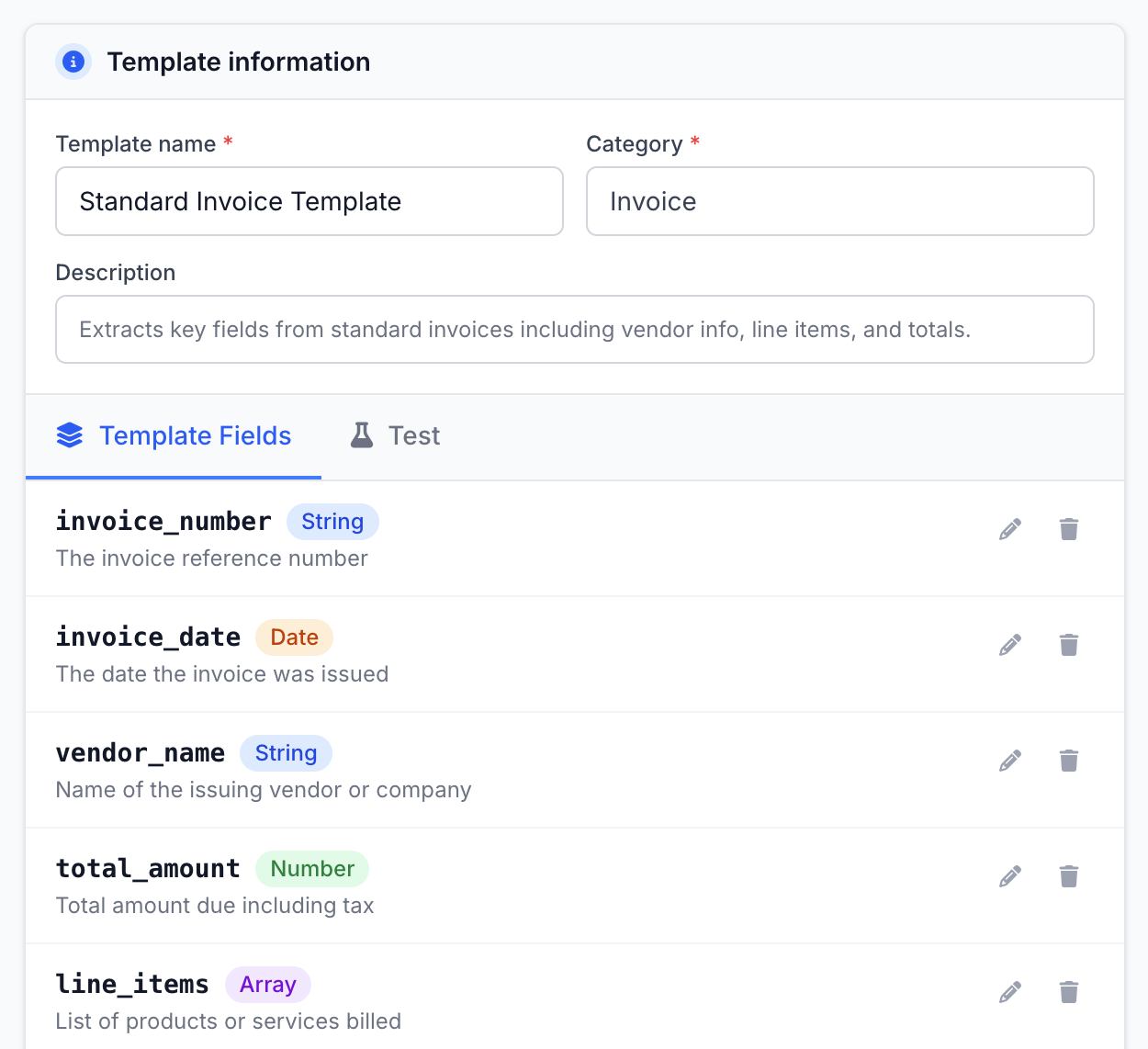
Field Name and Type
Define each field by giving it a name and choosing its type: text, number, date, boolean, array, or nested object.
Field Descriptions
Add a plain-English description to each field so Parselyze knows exactly what to look for in any document.
Nested Objects and Arrays
Model complex document structures like line items by nesting objects inside arrays.
Template Categories
Categorise your template (invoice, receipt, contract, resume, ID…) so the right extraction model is applied.
Test Inside the Editor
Upload a real document and run an extraction directly from the editor to verify your field definitions.
Duplicate and Iterate
Clone any existing template as a starting point to quickly build variations without redefining fields from scratch.
From document to template in minutes
A five-minute process. You only need a list of fields to extract. Parselyze does the rest.
- 1
Fill in template information
Give your template a name, a category (invoice, contract, receipt…), and an optional description.
- 2
Add fields by name and type
Click Add Field, enter a name, choose a type (text, number, date, …), and write a short description of what to extract.
- 3
Test the extraction
Upload a real document and run a test extraction from within the editor to verify your field definitions.
- 4
Save and call the API
Pass the templateId to
documents.parseAsync()and you're live.
Ready to build your first template?
50 pages/month free · No credit card required